Turn On Google Workspace Alert Centre Notifications
Reviewed by Neil Frick — October 2026

▶ Watch the short explainer for this tip
Stolen passwords can give criminals access to customer correspondence and invoice details. Google Workspace Alert Centre notifications can help Australian businesses notice suspicious activity sooner, provided someone monitors the alerts and knows how to respond.
What do Google Workspace Alert Centre notifications tell you?
The Alert Centre brings together supported security and service alerts for your Google Workspace organisation. Alerts such as Suspicious login and Leaked password can help administrators investigate possible account compromise. An alert is a reason to investigate, not proof that an attacker accessed the account.
Email notifications are controlled through rules. Some notifications are enabled by default, so review your existing configuration rather than assuming every alert is dashboard-only. Google does not generate an alert for every unusual location, unfamiliar device or successful account takeover.
Which notification settings should you review first?
Start with the rules available in your organisation and check both their alert settings and email recipients. The Admin console uses the menu label Alert center; this guide uses Australian spelling elsewhere.
| Configuration item | Where or what to check | Recommended approach |
|---|---|---|
| Admin console location | Security > Alert center | Open settings, then Manage alerts and email notifications. |
| Administrator access | Super administrator or delegated administrator with the required privileges | Use an authorised administrator; access to view alerts does not necessarily permit rule changes. |
| Relevant rules | Suspicious login and Leaked password, where available | Review the rule description, current actions and recipients. |
| Email action | The rule's Actions settings | Enable email notifications where supported and select monitored recipients. |
| Recipient coverage | Super administrator notification options and additional recipients | Arrange a primary responder and backup without granting unnecessary administrator access. |
| Delivery timing | Observed arrival of a relevant notification | Do not assume immediate delivery; investigate delays or missing messages. |
| Licensing | Google Workspace edition and available rule features | The Alert Centre is included with Google Workspace; available alert types and advanced features vary by edition. |
Defaults and supported actions vary by rule. Follow the options shown for your organisation, and remember that an alert appearing in the dashboard does not prove its email notification was delivered.
How can missed alerts affect an Australian small business?
An overlooked account compromise can give criminals time to read correspondence, change forwarding settings or send fraudulent payment instructions. For a small business, that can mean lost payments, exposed customer information and a lengthy recovery. Alerts help only when someone reviews them and follows a response process.
For organisations covered by the Privacy Act 1988, a suspected eligible data breach needs prompt assessment. Notification obligations under the Notifiable Data Breaches scheme depend on the circumstances, including the risk of serious harm and whether remedial action prevents that risk. Alert monitoring supports broader cybersecurity controls; alone, it does not establish compliance.
How do you turn on Google Workspace Alert Centre notifications?
Review existing rules before changing them so you retain useful recipients and avoid unnecessary duplicate notifications.
- Sign in to admin.google.com with an administrator account authorised to manage the relevant rules.
- Open Security > Alert center.
- Open the settings menu and select Manage alerts and email notifications.
- Find and open a relevant system-defined rule, such as Suspicious login or Leaked password, where available.
- Review its Actions settings and enable alert-centre and email actions where supported and appropriate.
- Select the required administrator recipients and add permitted email recipients, with a primary responder and backup.
- Save the changes and record who will check delivery and respond to alerts.
Do you need an extra Google Workspace licence?
The Alert Centre is included with Google Workspace and does not require a separate Alert Centre subscription. However, available alert types, rule capabilities and investigation tools depend on your edition and administrator privileges.
Do not upgrade simply because a rule is missing from your view. First check your permissions and Google's edition requirements for that specific feature. More advanced investigation and response capabilities may require a supported higher-tier edition; they are not a prerequisite for every basic email notification.
How do you avoid missed alerts and notification fatigue?
Avoid relying on one person's inbox. Assign a primary responder and a backup, or use a tightly controlled group where the rule supports it. A recipient does not need unrestricted administrator privileges merely to receive a notification. Keep privileged accounts separate from everyday email accounts.
Use a monitored destination with restricted membership, and agree on coverage during leave and outside business hours. For Australian teams working across states, document the relevant time zones and daylight-saving arrangements rather than assuming everyone follows AEST.
Investigate repeated alerts before disabling notifications. Check whether they reflect a genuine threat, an expected activity or a configuration problem. Treat links in alert emails cautiously: administrators can open admin.google.com directly to review the corresponding alert.
How can you check delivery without creating a security incident?
First reopen the rule and confirm that your changes and recipients were saved. When a relevant alert next occurs, compare its entry in Security > Alert center with the notification received by each intended destination. Check spam folders, group moderation and mail-routing settings if a message is missing.
An empty dashboard does not prove that notifications are broken, and an existing alert does not prove that new email settings work. If no suitable alert occurs, record delivery as not yet verified. Do not expose a password or attempt a risky sign-in just to trigger a warning.
Changing notification routing alone is not intended to reset passwords, revoke sessions or interrupt staff access. Review other rule actions separately before changing them. Alerts may contain sensitive account details, so sending them to the wrong recipient is also a security risk.
How does alert monitoring fit into a broader security review?
Notifications are one layer of protection. Pair them with phishing-resistant two-step verification where supported, restricted administrator access, reviews of third-party app access and a documented account-compromise response plan. Suspected compromise may require password resets, session revocation and checks for unauthorised forwarding or app access.
A Google Workspace security audit can also review Google Drive sharing, account recovery and domain email authentication. SecureMyEmail is run by Neil Frick of Netlogyx. An audit can help identify configuration gaps and prioritise practical improvements for your business.
Review Google Workspace alert rules, send supported notifications to monitored recipients and check delivery. Alerts can help your team respond sooner, but they need a clear response process and other security controls behind them.
Disclaimer: This article provides general cybersecurity guidance for Australian businesses. Platform menus, pricing, and default settings change regularly. Always test changes within your administrator console and review your specific technical and legal requirements before implementation.
Complimentary guide
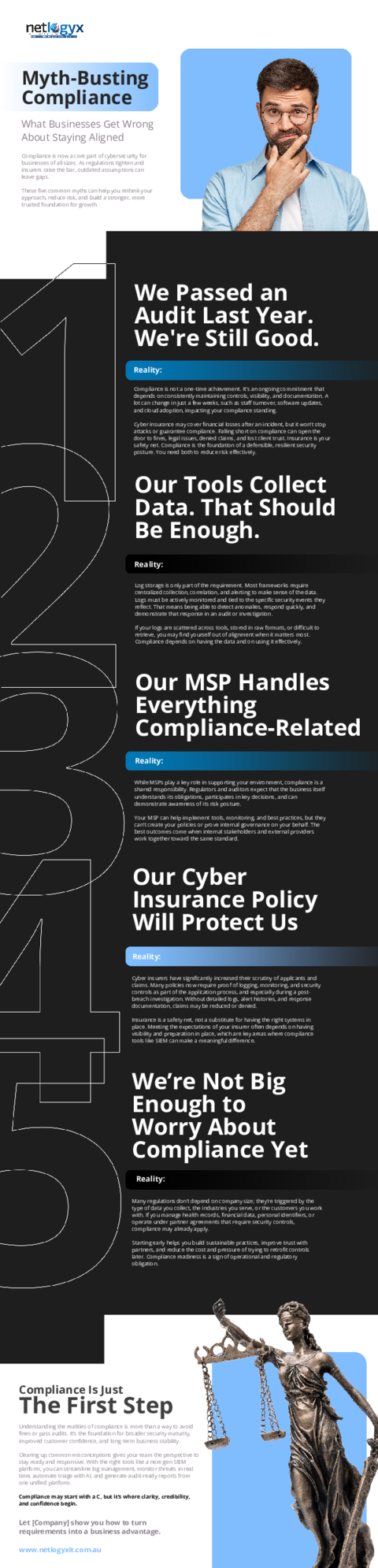
Mythbusting Compliance
Frequently asked questions
- How much does it cost to use Google Workspace Alert Centre notifications?
- The Alert Centre is included with Google Workspace without a separate Alert Centre subscription. Available alert types, rule actions and advanced investigation features vary by edition, so check the requirements for the specific feature you need.
- Are Alert Centre notifications enough to protect business email?
- No. Alert notifications help with detection, but they do not prevent every compromise. Combine them with phishing-resistant two-step verification where supported, restricted administrator access, third-party app controls and a documented response process.
- Does activating these alerts satisfy the Australian Notifiable Data Breaches scheme?
- No. Alert monitoring supports broader cybersecurity controls but alone does not establish compliance with the Privacy Act or the Notifiable Data Breaches scheme. Covered organisations must assess suspected eligible data breaches and notify affected individuals and the OAIC when the legal requirements are met.
- Will staff receive warning emails when I turn on these rules?
- Enabling administrator notifications does not automatically send them to all staff. Delivery depends on the recipients selected in each rule. Google may separately send account-security warnings to affected users.
- Why shouldn't I route alerts to a generic company info address?
- A general info mailbox is usually a poor choice because it may have broad access and no designated security responder. Use trusted individual recipients or a restricted, monitored group where supported, with clear responsibility for investigating alerts.
- Can these alert notifications reach an external IT provider?
- Yes, alerts can be shared with an authorised IT provider through a supported recipient option or a carefully controlled distribution arrangement. Check the rule's recipient restrictions, limit access to sensitive alert details and agree on response responsibilities before enabling delivery.
- Will I receive an immediate alert for every suspicious login?
- No. Google must first detect a condition covered by an available alert, and processing or email delivery can take time. Do not rely on notifications as a complete account-activity log or a guarantee of immediate detection.
Sources
Every reference below was link-checked when this article was published.
- 1.Best practices for administrator accountsGoogle Workspace Admin Help
- 2.Control access to less secure appsGoogle Workspace Admin Help
- 3.Notifiable Data Breaches schemeOffice of the Australian Information Commissioner
Want to know where your own tenant stands?
The audit answers these questions with a dated report on your actual settings — a few questions to start, under a minute.