Why Legacy Authentication is the Biggest Microsoft 365 Security Risk
Reviewed by Neil Frick — July 2026

▶ Watch the short explainer for this tip
For Australian small and medium businesses, understanding and mitigating cyber risks is paramount. When it comes to your Microsoft 365 security audit, one issue consistently stands out as the most critical vulnerability: legacy authentication. It's an outdated method that cybercriminals exploit with alarming ease.
Neil Frick (CISSP) from Netlogyx IT sees this problem firsthand. It's not a technical glitch; it's a gaping hole in your digital defence that allows attackers to bypass modern security measures. This article explains why it's such a persistent problem and, more importantly, how you can fix it.
What makes legacy authentication so dangerous for M365?
Legacy authentication protocols are dangerous because they don't support modern multi-factor authentication (MFA) and other advanced security features. This means they are highly susceptible to brute-force attacks and password spray attempts, allowing criminals to gain unauthorised access to your Microsoft 365 environment. Once they're in, they can access sensitive data, launch Business Email Compromise (BEC) scams, or deploy ransomware. The Australian Cyber Security Centre (ACSC) consistently highlights the importance of MFA as one of the most effective controls for preventing cyberattacks.
How do cybercriminals exploit legacy authentication?
Cybercriminals exploit legacy authentication by using automated tools to guess usernames and passwords until they find a match. These tools can perform thousands of login attempts per second against your accounts, often going undetected because legacy protocols don't trigger the same alerts as modern authentication. Without multi-factor authentication (MFA) to block them, these attacks have a high success rate. This kind of breach can lead to significant financial and reputational damage for your business.
Why is it still so prevalent in Microsoft 365 environments?
Legacy authentication is still prevalent because it's deeply embedded in some older applications and devices that businesses continue to use, often unknowingly. For Australian small businesses, the transition to modern authentication can seem daunting, but the risks of not doing so are far greater. Many organisations simply haven't taken the step to explicitly block these protocols, leaving their systems vulnerable. If you're unsure about your M365 setup, book a free 15-minute audit chat with Neil to get things sorted quickly.
How can you block legacy authentication in Microsoft 365?
You can block legacy authentication in Microsoft 365 by using Conditional Access policies. These policies allow you to define rules that prevent older authentication methods from connecting to your M365 services, while still allowing modern, secure methods. Microsoft strongly recommends blocking legacy authentication to improve your overall security posture and ensure that all connections use multi-factor authentication. Implementing this is a critical step in securing your Australian small business from cyber threats.
What are the benefits of eliminating legacy authentication?
Eliminating legacy authentication significantly enhances your Microsoft 365 security, making your environment much harder for cybercriminals to breach. It forces all access attempts to use modern authentication, which fully supports multi-factor authentication (MFA), dramatically reducing the risk of successful phishing and brute-force attacks. This also helps you achieve a higher maturity level in essential cyber security frameworks like the ACSC Essential Eight. It's a foundational step towards a more secure digital future for your business. Want to ensure your M365 is buttoned down? Book a free 15-minute audit chat with Neil today.
Blocking legacy authentication is not just a recommendation; it's a critical security control for any Australian business using Microsoft 365. It's a relatively straightforward step that closes one of the biggest doors cybercriminals use to infiltrate your systems, enabling you to protect your data and your reputation more effectively.
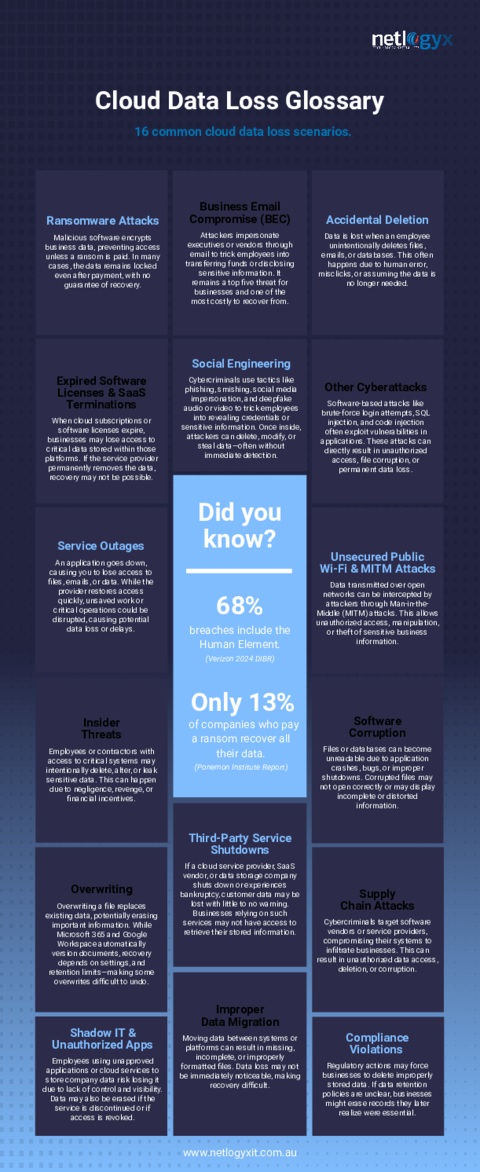
Complimentary guide
Data Loss Glossary: 16 Common Cloud Data Loss Scenarios
Frequently asked questions
- What is legacy authentication in Microsoft 365?
- Legacy authentication refers to older, less secure sign-in methods for Microsoft 365 services that do not support multi-factor authentication (MFA). These include protocols like POP, IMAP, and older versions of Exchange ActiveSync, which make accounts vulnerable to password-guessing attacks.
- Why is multi-factor authentication (MFA) not enough if legacy authentication is enabled?
- If legacy authentication is enabled, MFA is not enough because these older protocols bypass MFA checks entirely. A cybercriminal can successfully log in using a stolen username and password through legacy authentication, even if you have MFA enabled for modern authentication methods.
- How do I check if my Microsoft 365 tenant uses legacy authentication?
- You can check for legacy authentication usage in your Microsoft 365 tenant by reviewing sign-in logs in Azure Active Directory (now Microsoft Entra ID) or using Conditional Access reports. These logs show the authentication methods used for each sign-in, allowing you to identify legacy protocol usage.
- Will blocking legacy authentication disrupt my small business operations?
- Blocking legacy authentication might disrupt some operations if you have older applications or devices relying on these protocols, but the disruption is usually minimal and manageable. It's crucial to identify and update any such dependencies before implementing the block to ensure a smooth transition to a more secure environment.
- Is blocking legacy authentication part of the ACSC Essential Eight?
- While not explicitly listed as a standalone control, blocking legacy authentication is a critical enabler for effectively implementing several controls within the ACSC Essential Eight, particularly 'Multi-Factor Authentication' and 'Patch Applications'. By eliminating these insecure pathways, you significantly improve your overall cyber security posture to meet the Essential Eight requirements.
Sources
Every reference below was link-checked when this article was published.
- 1.Block legacy authentication with Conditional AccessMicrosoft Learn
- 2.Annual Cyber Threat ReportAustralian Signals Directorate — ACSC
- 3.Business Email CompromiseAustralian Signals Directorate — ACSC
- 4.Essential Eight Maturity ModelAustralian Signals Directorate — ACSC
Want to know where your own tenant stands?
The audit answers these questions with a dated report on your actual settings — a few questions to start, under a minute.